
High-resolution book scanners make it easier to preserve books, magazines, documents, and archival material without relying on blurry photos or time-consuming flatbed scans.
This roundup compares 10 strong options, from compact portable models to large-format overhead scanners, with attention to image quality, page handling, OCR, speed, and workflow features.
Best 10 High Resolution Book Scanners Picks for 2026
Best Professional A3 Scanner
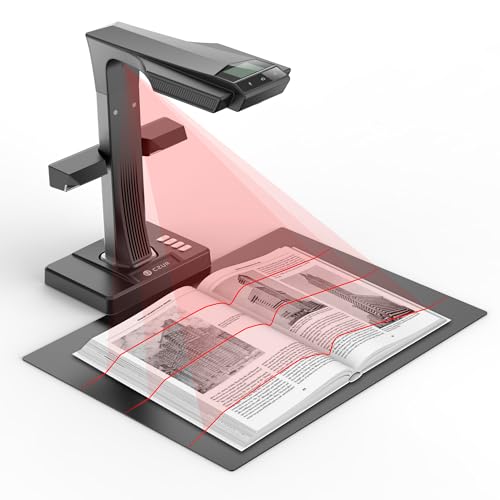
- 24MP camera with 5696 × 4272 capture
- Curve-flattening technology for bound books
- A3 scanning and 180+ language OCR
Best For: Professional book and document digitization
Best Compact Flatbed Value

- 2400 × 2400 dpi optical resolution
- Auto Scan Mode simplifies basic scanning
- Compact USB flatbed design
Best For: Photos, receipts, and loose documents
Best High-Resolution Speed Scanner

- 38MP sensor with 7168 × 5376 resolution
- Scans a page in about 1.5 seconds with practice
- A3 support, curve flattening, and OCR
Best For: Fast, detailed book and document archiving
Best Large-Format Archival Scanner
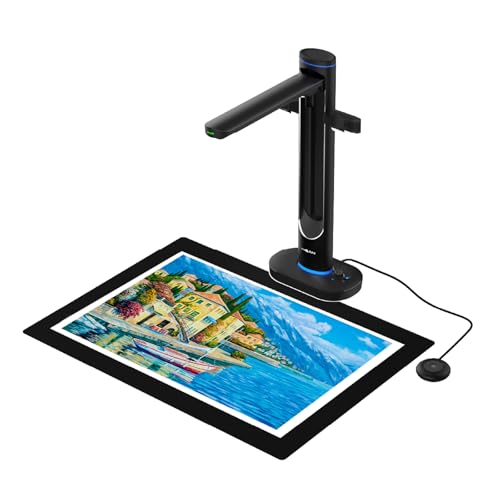
- Dual 48MP cameras with up to 600 DPI
- A2 overhead scanning for fragile bound materials
- AI processing, OCR, and text-to-speech
Best For: Libraries, archives, and large-format book scanning
Large-Format Book Capture

- A2 capture area for oversized materials
- 26MP imaging and software-enhanced 600 dpi
- Automatic flattening, finger removal, and OCR
Best For: Large books, maps, manuscripts, and archival materials
Hands-Free Book Scanning
ScanSnap SV600 Overhead Scanner

- 1200 resolution with CCD optical sensor
- Scans books without cutting or damaging them
- Page-turn detection and automatic curve correction
Best For: Bound books, magazines, newspapers, and delicate originals
Best All-Around Choice

- 4320×3240 resolution and 24-bit color
- Two-second scanning with searchable PDF output
- Curved-page correction and four-temperature lighting
Best For: Versatile home and office book scanning
Best Portable Option
CZUR Shine Ultra Smart Scanner

- 13MP camera with up to 4160×3120 capture
- About one-second-per-page scanning
- Foldable design with document-camera mode
Best For: Portable scanning of documents and thinner books
Best for Hands-Free Scanning
CZUR Aura Pro Portable Scanner

- Two-second scanning for single and double pages
- Automatic page-turn detection and foot-pedal support
- Supplemental lights with adjustable color and brightness
Best For: Streamlined desk-based book digitization
Best Professional A3 Scanner – CZUR ET24 Pro
For shoppers comparing high resolution book scanners, the CZUR ET24 Pro combines a 24MP camera, 320 DPI capture, and curve-flattening technology in a desktop overhead design. It supports A3 materials, OCR in more than 180 languages, HDMI output, and Windows, macOS, and select Ubuntu systems.
Best For: Home offices, researchers, and professionals digitizing books, documents, receipts, artwork, and magazines up to A3 size.
Pros:
- 24MP camera captures images at 5696 × 4272 resolution.
- Curve-flattening technology helps correct pages in bound books.
- ABBYY OCR converts scans into editable Word, Excel, and PDF files.
- Three-light illumination and HDMI connectivity add scanning flexibility.
Cons:
- Very glossy or reflective paper is not recommended.
- Arabic OCR is limited by operating system, while Thai and Hebrew are unsupported.
- Linux support is limited to Ubuntu 20.04 through 24.04.
The ET24 Pro is a capable all-around choice when you need high-resolution book scanning, A3 compatibility, and document conversion features. Its optical setup is less suitable for highly reflective pages, but the lighting options and OCR support make it practical for regular archiving.
Best Compact Flatbed Value – Canon CanoScan LiDE 300
The Canon CanoScan LiDE 300 is a straightforward flatbed option for shoppers seeking high resolution book scanners for photos, receipts, business cards, and individual documents. Its 2400 × 2400 dpi optical resolution, USB connection, and Auto Scan Mode suit basic desktop digitization.
Best For: Casual home users who primarily scan loose documents, photos, receipts, and small paper items.
Pros:
- 2400 × 2400 dpi optical resolution supports detailed image scans.
- Auto Scan Mode automatically detects the item being scanned.
- Compact 1.7-inch-high design fits easily on a desktop.
- USB connectivity keeps setup simple.
Cons:
- Its flatbed design is less convenient for bound books than an overhead scanner.
- One-sheet capacity is intended for individual items rather than batch work.
- Supplied system requirements list Windows 7, so compatibility should be checked before purchase.
The LiDE 300 is best viewed as an affordable general-purpose flatbed rather than a specialized book-scanning system. It delivers strong optical resolution for loose pages and photos, but users digitizing many bound books may prefer an overhead model.
Best High-Resolution Speed Scanner – CZUR ET MAX
The CZUR ET MAX stands out among high resolution book scanners with a 38MP CMOS sensor, 7168 × 5376 resolution, and 410 DPI capture. Its curve-flattening technology, A3 scanning area, OCR tools, and practiced scan speed of about 1.5 seconds per page make it suited to demanding digitization projects.
Best For: High-volume book and document archiving where detailed image capture and faster page handling are priorities.
Pros:
- 38MP sensor delivers 7168 × 5376 resolution.
- Patented curve flattening helps correct bound-page distortion.
- OCR creates editable Word, Excel, and searchable PDF files in 180+ languages.
- Supports A3 materials, HDMI output, and Windows, macOS, and select Ubuntu systems.
Cons:
- Glossy or highly reflective materials are not recommended.
- Arabic OCR support varies by operating system, and Thai and Hebrew are unsupported.
- The listed scan speed assumes practiced operation.
With its highest stated resolution in this group and fast operating workflow, the ET MAX is a strong fit for serious archival work. Its A3 format and OCR broaden its usefulness, while reflective-page limitations should be considered for art books or glossy materials.
Best Large-Format Archival Scanner – VIISAN S48 Duo
The VIISAN S48 Duo is designed for shoppers who need high resolution book scanners for oversized or fragile materials. Its dual 48MP cameras capture up to 600 DPI, while AI processing helps flatten pages, correct distortion, remove finger marks, and clean backgrounds without pressing down on a book.
Best For: Libraries, schools, archives, and educators handling large books, maps, manuscripts, and bound materials up to A2 size.
Pros:
- Dual 48MP cameras provide detailed capture at up to 600 DPI.
- Overhead design accommodates A2 materials without flattening or damaging bindings.
- AI processing assists with curved pages, edge distortion, finger marks, and backgrounds.
- OCR and text-to-speech support searchable and accessible content.
Cons:
- Its larger A2-oriented design may be more than casual users need.
- Requires USB 2.0 and at least 4GB of RAM, with 16GB recommended.
- At least 20GB of hard-drive space is listed as a system requirement.
The S48 Duo is the most specialized option here for oversized and delicate materials. Its dual-camera setup, high capture resolution, and accessibility features make it particularly compelling for archival and educational workflows, though its system requirements and larger format may be unnecessary for basic home scanning.
Fast Office Scanning – Canon imageFORMULA R40II
The Canon imageFORMULA R40II is a practical choice among high resolution book scanners when your priority is fast, routine document digitization rather than overhead book capture. Its 600 dpi resolution, duplex scanning, and 60-sheet feeder suit offices handling mixed paperwork.
Best For: Offices scanning receipts, reports, contracts, cards, and other loose documents in volume.
Pros:
- Scans both sides simultaneously at up to 45 pages per minute.
- 600 dpi resolution and a 60-sheet automatic document feeder.
- Handles receipts, business cards, thick or thin documents, and long documents.
- Supports Windows 11 and macOS with one-touch CaptureOnTouch operation.
Cons:
- Designed exclusively for the included CaptureOnTouch software; TWAIN and ISIS drivers are not supported.
- USB connection is required, and it is intended for loose documents rather than bound books.
The R40II stands out for speed, feeding flexibility, and simple setup. Choose it if you need a high-resolution office scanner, but look to an overhead model for preserving bound books without cutting or separating pages.
Large-Format Book Capture – VIISAN S21 A2 Book Scanner
The VIISAN S21 is a strong high resolution book scanner for oversized materials and bound pages. Its A2 capture area, 26MP imaging, and book-focused software make it suitable for digitizing large journals, manuscripts, newspapers, maps, and books.
Best For: Libraries, archives, educators, and creators scanning large-format books, documents, maps, and other objects.
Pros:
- Captures A2-size materials up to 594 × 420 mm.
- Delivers up to 26MP resolution with software-enhanced scanning up to 600 dpi.
- Automatically flattens curved pages, removes fingers, repairs edges, and separates facing pages.
- Built-in OCR can export files to PDF, Word, Excel, EPUB, or text formats.
Cons:
- Bundled OfficeCam software is not compatible with ARM-based devices such as the Surface Pro X.
- Glare-prone paper is not recommended, and the built-in LEDs are not intended for bright-light use.
- USB 2.0 connectivity may be less convenient for some modern setups.
With its large capture area and automated book corrections, the S21 is the most specialized option here for oversized and bound materials. Confirm your computer architecture and workspace before buying.
Hands-Free Book Scanning – ScanSnap SV600 Overhead Scanner
The ScanSnap SV600 is a high resolution book scanner designed to capture newspapers, magazines, documents, and books without cutting or damaging them. Its overhead design combines 1200 resolution with automatic page correction and page-turn detection for more convenient book digitization.
Best For: Users scanning bound books, magazines, newspapers, photos, and mixed items without using a sheet feeder.
Pros:
- Scans books and other materials directly without cutting or damaging them.
- 1200 resolution with CCD optical sensor technology.
- Automatically flattens curved pages and can remove captured fingers.
- Page Turning Detection can begin scans automatically as pages are turned.
Cons:
- Its standard sheet capacity is one, so it is not designed for high-volume feeder scanning.
- Requires a USB connection and compatible Windows or macOS computer.
- Automatic correction features may require additional review for demanding archival work.
The SV600 is a focused overhead solution for preserving bound materials while keeping the scanning process relatively hands-free. It is a better fit for books and delicate originals than for stacks of loose office pages.
Best All-Around Choice – CZUR Aura Pro A3 Book Scanner
For shoppers comparing high resolution book scanners, the CZUR Aura Pro combines 4320×3240 output with fast two-second-per-page scanning. Its laser-based page flattening, OCR, and A3/A4 support make it a practical choice for books, documents, and searchable digital archives.
Best For: Home offices, students, and readers who want a versatile book scanner with smart lighting and broad computer compatibility.
Pros:
- High 4320×3240 resolution with 24-bit color depth.
- Scans pages in about two seconds and exports JPG, Word, PDF, and searchable PDF files.
- OCR recognizes more than 180 languages and supports curved-page flattening.
- Includes glare-free, four-color-temperature lighting and works with Windows and newer macOS versions.
Cons:
- Thai, Hebrew, and Arabic are not supported by the OCR.
- Requires a USB connection rather than wireless connectivity.
The Aura Pro is a strong all-purpose option when image clarity, OCR, and reading comfort matter equally. Its dedicated lighting and curved-page correction add useful flexibility for regular book digitization.
Best Portable Option – CZUR Shine Ultra Smart Scanner
The CZUR Shine Ultra is a portable pick among high resolution book scanners, using a 13MP CMOS camera to capture A3 and A4 materials at up to 4160×3120. Its roughly one-second-per-page speed and foldable design suit scanning on the go, while USB document-camera functionality adds flexibility for remote teaching.
Best For: Users who need a lightweight, height-adjustable scanner for thinner books, loose documents, and online presentations.
Pros:
- 13MP camera with up to 4160×3120 capture and A3/A4 support.
- Scans at about one second per page.
- Can function as both a document scanner and USB document camera.
- Foldable, height-adjustable design includes a foot pedal for convenient operation.
Cons:
- Curved-page flattening is intended for thinner books; thicker books may require an ET-series model.
- Not compatible with Android or iOS devices.
- Thai, Hebrew, and Arabic are not supported by the OCR.
The Shine Ultra stands out for portability and speed rather than maximum book thickness. It is a sensible choice for flat documents, thinner books, and users who also need a document camera.
Best for Hands-Free Scanning – CZUR Aura Pro Portable Scanner
This Aura Pro emphasizes effortless workflow for shoppers seeking high resolution book scanners. It scans A3-sized materials in about two seconds per page, uses laser-guided curved-page correction, and can detect page turns to trigger scans automatically.
Best For: Users digitizing books at a desk who value automatic page detection, supplemental lighting, and hands-free control.
Pros:
- Scans single sheets and double-page books in about two seconds per page.
- Three laser lines help flatten curved pages for clearer captures.
- Auto-detects page turns and supports a foot pedal for scan triggering.
- Includes supplemental side lights, four color modes, and six brightness levels.
Cons:
- Sound-control performance can be affected by background noise and distance.
- OCR does not support Thai, Hebrew, or Arabic.
- Uses USB connectivity and requires compatible Windows or macOS versions.
With automatic page detection and multiple control methods, this Aura Pro is designed to reduce interruptions during larger scanning projects. Its supplemental lighting is particularly useful for glossy materials and uneven illumination.
How We Picked the Best High Resolution Book Scanners
We focused on scanners that offer strong image detail, practical book-capture designs, and features that reduce the effort involved in digitizing bound pages. Resolution matters, but it is only useful when paired with consistent lighting, image correction, page flattening, and software that produces usable files.
The selection includes overhead book scanners, portable document cameras, flatbed scanners, and automatic duplex document scanners. We also considered capture size, OCR support, scanning speed, connectivity, portability, and suitability for home, office, education, and archival work.
Quick Comparison
| Scanner type | Best for | Key advantage |
|---|---|---|
| Overhead book scanner | Bound books and fragile pages | Captures pages without pressing them flat |
| Large-format model | Maps, newspapers, and oversized material | Supports A2 or A3 capture areas |
| Flatbed scanner | Photos and individual sheets | Stable, familiar scanning process |
| Duplex document scanner | Stacks of loose pages | Fast two-sided automatic feeding |
| Portable scanner | Travel and occasional use | Compact setup and easy storage |
Key Buying Factors for High-Resolution Book Scanners
Resolution and Image Quality
Look beyond the advertised megapixel count. Effective detail depends on the camera, lens, lighting, software processing, and the distance between the scanner and page. Higher resolution is especially valuable for small print, illustrations, diagrams, and archival copies.
Book Handling and Page Correction
Overhead designs are generally more convenient for bound books because they avoid repeatedly forcing the spine against a glass bed. Automatic page flattening, curved-page correction, finger removal, and assisted page turning can significantly improve results and reduce editing time.
Capture Size and Document Variety
Check the maximum scanning area before buying. A3 and A2 models are better suited to newspapers, artwork, maps, textbooks, and large technical documents, while compact scanners may be easier to position but limit oversized work.
OCR, Software, and File Output
OCR can turn scanned pages into searchable or editable text, but accuracy varies with fonts, page curvature, contrast, and language. Confirm that the software supports your operating system and preferred outputs, such as searchable PDF, Word, JPEG, or cloud storage.
Speed, Connectivity, and Workspace
USB connectivity is common, while some office-oriented models add cloud workflows. Consider warm-up time, capture speed, lighting requirements, and whether the scanner needs a permanent desk setup. A fast document feeder is usually better for loose paper, not bound books.
Who Should Buy Which High Resolution Book Scanners?
Choose a premium overhead model if you regularly digitize books, rare material, or high-detail illustrations and want page correction and strong software support.
Choose a large-format scanner for A2 or A3 documents, newspapers, maps, posters, and oversized textbooks. The larger footprint is worthwhile when standard book scanners cannot capture the full page.
Choose a compact portable model if storage space, travel, or occasional scanning matters more than maximum throughput. These models suit students, mobile professionals, and home users with moderate workloads.
Choose a flatbed scanner for photos, loose pages, and projects where consistent contact with the scanning surface is acceptable.
Choose an automatic duplex document scanner when your priority is processing large stacks of loose sheets quickly. It is not a substitute for an overhead book scanner, but it can be the most efficient office choice.